















Is Splitwise Pro worth it? Prices, limits, and a better alternative
See Splitwise Pro pricing, the free-plan limit, paid features, and when subscribing—or choosing another expense app—makes sense.

You try to log the ride after lunch and Splitwise says you have reached today’s limit. The upgrade screen offers Pro, but it does not answer two questions in one place: what will you pay in your region, and which paid features will actually change your group’s routine?
The short answer is that Pro can be a solid product for people who depend on the Splitwise ecosystem. But for couples, trips, and recurring groups whose main frustration is the cap, TakeControl is often the better alternative: it doubles the free daily allowance to eight expenses and already includes search, default splits, budgets, CSV export, and offline use. Splitwise Pro still makes more sense when the web app or an established history is indispensable.
How much does Splitwise Pro cost?
There is no single public price for every account. The Splitwise Pro page explains the features but does not show an open price-by-country-and-plan table. Its App Store description says the amount varies by plan and country; Splitwise’s terms also allow differences based on taxes, promotions, and subscription date.
On October 23, 2026, the US App Store’s in-app-purchase section listed “Splitwise Pro” entries at $2.99, $3.99, $4.99, $29.99, and $39.99. It did not publicly map those lines to the current monthly, yearly Individual, or yearly Duo offers. Treat them as store references, not a quote for your account.
Splitwise documents three subscription types:
| Plan type | Billing | Who gets Pro | Confirm before paying |
|---|---|---|---|
| Individual + Trip Pass | yearly | one person | total, trial terms, renewal date |
| Duo + Trip Pass | yearly | two people | second member and total price |
| Monthly | monthly | one person | monthly charge and no yearly Trip Pass |
The yearly plans include one Trip Pass per year. You can apply it to a travel group and give its members Pro features for 30 days. That is useful when a group’s heavy entry period is one trip, but it is not permanent Pro access for every group.
Before subscribing, open Account > Splitwise Pro and note the full amount, billing interval, trial length if offered, and first renewal date. Do not infer the plan from the lowest store line.
What changes from free Splitwise to Pro
The free core still works: create groups, record bills, choose who paid, split equally or unequally, and track balances. Pro removes heavy-use friction and adds retrieval and analysis tools.
According to the official Pro help page, the subscription includes:
- unlimited expense entries;
- full-history expense search;
- conversion into a default currency;
- receipt scanning and itemization;
- category and spending-over-time charts;
- saved default splits, such as 60/40;
- an ad-free experience;
- early access to new features;
- card transaction import in selected countries—the public Pro page currently specifies the United States.
Those features can carry real value. Search becomes more useful as a household group builds years of history. Itemization saves work on restaurant bills. Currency conversion keeps an international trip from ending with a separate balance in every currency. Splitwise’s web app is also a meaningful advantage for people who prefer reviewing expenses on a computer.
What is the free Splitwise limit?
Splitwise’s official limit article says free users can add up to four expenses each day. Pro removes that daily cap.
Four entries may be enough for a quiet household routine: rent, internet, and a few purchases spread across the week. On a travel day, breakfast, transit, lunch, and a museum ticket can use the allowance before dinner.
Splitwise suggests waiting for the limit to reset or asking a friend to add the expense as paid by you. That works for an exception. As a daily system, it makes the group coordinate who can still enter an item and shifts more work to whoever keeps the records tidy.
When Splitwise Pro is worth it
You have years of history you do not want to move
A long-running household group may contain hundreds of bills. Search, charts, and group familiarity can save more time than migration. In that case, Pro’s value is not merely unlimited entry; it preserves a system everyone already uses.
You need receipt itemization or currency conversion
If someone splits a long grocery or restaurant receipt every week, or your groups travel in several currencies, the paid tool solves repeated work. Test OCR with receipts from your own country before choosing a yearly plan, because layout, printing, and photo quality affect any scanner.
Your group relies on the web app
Splitwise works in a browser. TakeControl is an iPhone and Android app and does not offer a web version. If desktop entry matters, that difference can justify staying with Splitwise even when another app has a broader free tier.
When it probably is not worth paying
There is little reason to subscribe if you rarely need a fifth entry, never search old bills, and do not use currency conversion or receipt tools. For those users, free Splitwise still performs the central who-owes-whom calculation.
A one-off trip needs a separate calculation. Monthly Pro can cover the travel period, while a yearly Trip Pass may help a whole group for 30 days. But if the group has no Splitwise history yet, starting in another app may avoid paying solely to bypass a cap during the busiest week.
Do not assume one Individual subscription fixes everyone’s experience. If several friends need to enter more than four expenses each, compare Duo, the Trip Pass, and the number of trips you take each year before comparing total cost.
Who gets a better alternative with TakeControl?
“Better” depends on the bottleneck. TakeControl is stronger when a group wants to try more workflow features before paying. Splitwise wins on browser access, one-off expenses outside groups, and an existing history that may already be valuable.
| Criterion | TakeControl Free | Splitwise Free |
|---|---|---|
| Entries per day | up to 8 | up to 4 |
| Groups | up to 6 | no public group cap found in the reviewed sources |
| Expense search | included | Pro |
| Custom default split | included | Pro |
| Group budgets | included | not listed as a Splitwise feature |
| CSV export | included | included |
| Web app | no | yes |
| One-off expense without a group | no | yes |
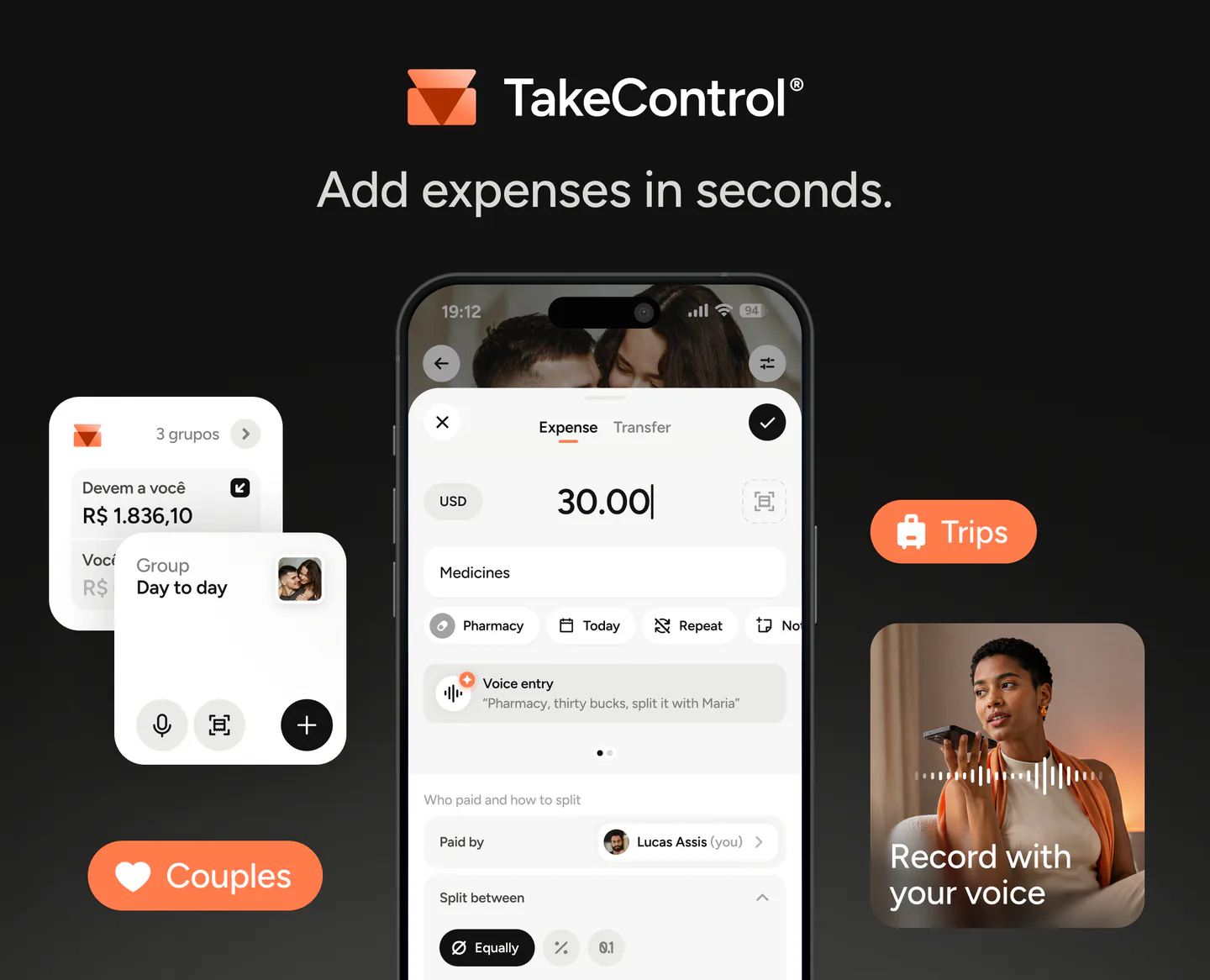
In practice, TakeControl does more than double the free daily limit. It cuts the work of logging and monitoring expenses: it works offline and syncs later, accepts entries by voice or receipt photo, lets the group set a shared budget, and keeps search and default splits outside the paywall. Those tools help while a purchase or trip is happening, not only when reviewing old records.
That makes TakeControl the more useful choice for mobile-first groups that want to organize ongoing expenses and test the complete workflow before paying. Switching does not mean starting over either, because groups and history can be imported by CSV. Splitwise remains the better fit when browser access and one-off expenses outside groups are requirements.
TakeControl Free includes four voice entries and four receipt scans. PRO raises those limits, adds currency conversion and advanced filters, and removes ads. Check the current Free and PRO plan comparison; prices also vary by country and store.
For a broader decision, read our guide to Splitwise alternatives for couples and trips. It compares the workflow rather than only counting features.
Decide in five minutes
Open your recent history and answer:
- On how many days last month did you need five or more entries?
- Do you often search for old bills?
- Are long receipts and several currencies routine or limited to one trip?
- Does more than one person need paid features?
- Is browser access essential?
If the answers point to high volume, long history, and specific Pro tools, Splitwise Pro may justify the price shown in your account. If they point only to frustration with the cap, test an alternative with the group before accepting a renewal.
If you decide to move, follow the guide to importing Splitwise groups into TakeControl. Export one group at a time as CSV, import it, and verify people, expenses, and balances before leaving the old system.
Download TakeControl and test the free plan with a real group. The most useful comparison uses expenses you already have.
Sources and verification
Information verified on October 23, 2026 using the Splitwise help center, terms, and Pro page, the US App Store listing, and TakeControl’s plans and features page.

I created TakeControl to make splitting expenses between couples and on trips simpler. Here, I share tips, app updates, lessons learned, and content to make managing shared expenses easier.
Frequently asked questions
It can be worth it if your group already has a substantial Splitwise history and you regularly use unlimited entries, currency conversion, search, saved default splits, or receipt scanning and itemization. If you log only a few expenses and do not need those tools, free Splitwise or another app may be enough.
Splitwise does not publish one global price table tied to each plan. On October 23, 2026, the US App Store listed Splitwise Pro purchases at $2.99, $3.99, $4.99, $29.99, and $39.99, but did not identify which current plan each line represented. Check the price, billing period, trial, and renewal in your own upgrade screen.
Splitwise’s official help center says free users can add up to four expenses per day. Another group member can enter an expense as paid by you, but that spreads the data-entry work around the group rather than removing each free account’s limit.
Not with the individual monthly or yearly plan. Individual covers one person, while the yearly Duo plan covers two. Yearly plans include a Trip Pass that can give one travel group Pro features for 30 days.
It includes full-history search, currency conversion, receipt scanning and itemization, charts, saved default splits, an ad-free experience, and early access. Transaction import is available only in selected markets.
TakeControl allows up to eight expense entries per day and six groups for free, with search, group budgets, custom default splits, CSV export, offline use, and free voice and receipt-scanning uses included. It does not have a web app or one-off expenses outside groups, where Splitwise may still be the better fit.
