















Splitwise vs. Tricount: 3 Important Limitations to Know in 2026
Splitwise caps free daily expenses; Tricount is free but dropped CSV/PDF export and saved splits. See both side by side and which fits your group.

Splitwise and Tricount are two of the most popular apps for splitting expenses with couples, friends, roommates, and travel groups. Both solve the same basic problem: keeping track of shared expenses and figuring out who owes what.
For this comparison, we checked the official documentation for all three services on October 1, 2026. The limitations below matter most on trips with many entries and in long-running groups that need portable data or repeatable split rules.
Splitwise vs. Tricount at a glance
| Splitwise | Tricount | |
|---|---|---|
| Price model | Free plan plus paid Splitwise Pro | Free, with no paid plan |
| Adding expenses on the free plan | Up to 4 per day | No daily limit |
| Where you can use it | iOS, Android and web | iOS and Android apps |
| Saved default splits | Splitwise Pro feature | Removed; planned to return |
| Exporting your data | CSV export per group | No direct CSV or PDF export; contact support |
| Moving from the other app | — | Imports groups from Splitwise |
In short: choose Tricount if you want to log unlimited expenses for free, and Splitwise if you need a web app or already have a long history there. Both stop short on something long-running groups often need, which the three sections below explain.
1. Splitwise’s daily expense limit can get in the way when you need the app most
The first verified limitation is on the Splitwise free plan.
Splitwise currently states that free users can add up to 4 expenses per day. To remove that limit, you need Splitwise Pro.
That might not be a problem if you only add a few shared expenses every month. But it can become restrictive very quickly while traveling.
Imagine a typical day with:
- breakfast;
- transportation;
- attraction tickets;
- lunch;
- groceries;
- dinner.
That’s already six separate expenses.
The same applies to couples and roommates who use an expense splitting app to keep track of most of their shared spending.
The issue isn’t that Splitwise has a paid plan. Apps need a sustainable business model. The frustration starts when something as fundamental as adding an expense has a relatively low daily limit.
2. Tricount no longer lets you export your expenses directly
Tricount takes a different approach: its core expense tracking experience doesn’t limit how many expenses you can add.
However, some features that used to be available have been removed.
One of the most noticeable is data export.
Tricount confirms in its Help Center that exporting a Tricount as a CSV or PDF is no longer available. Users who need their data currently have to contact support.
That may not seem important if you’re using a group for a weekend trip.
But imagine a couple using the same expense group for two or three years.
Being able to download your history makes it possible to:
- keep a backup of your expenses;
- open your data in Excel, Google Sheets, or another spreadsheet app;
- run your own analysis;
- organize records for reimbursements or accounting;
- keep a copy of your financial history outside the app.
The longer you use a shared expense app, the more important it becomes to have access to your own data.
3. Setting up the same expense split over and over gets repetitive
The third limitation affects people who regularly split expenses with the same group.
A couple might split everything 50/50.
Another couple might prefer a 60/40 split based on income.
Three roommates might have their own fixed arrangement.
In those situations, there’s little reason to configure the same split every time someone adds groceries, rent, utilities, or another recurring household expense.
Tricount previously allowed users to save custom splits, but the feature was removed from the newer version of the app. The company says it plans to bring the feature back in a future update.
A default split might sound like a small feature, but over the course of a year it can eliminate dozens or even hundreds of repetitive actions.
It also reduces mistakes. If a group has already agreed on a specific split, the app can simply apply it automatically to new expenses.
Is there a better alternative to Splitwise and Tricount?
If these limitations matter to you, there’s another option worth considering: TakeControl.
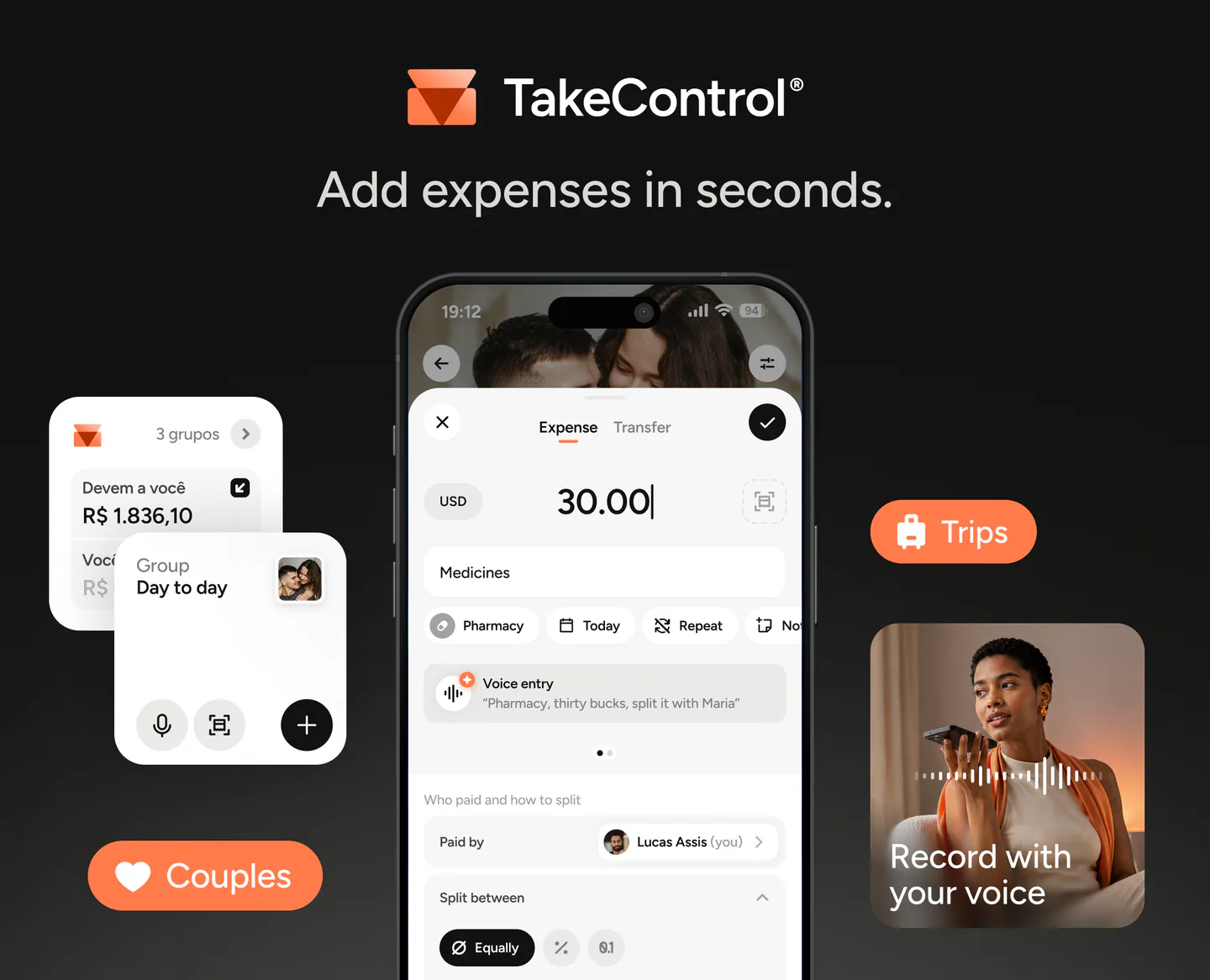
TakeControl is an expense splitting app built for couples, trips, friends, families, roommates, and other groups. It combines simple shared expense tracking with features designed for people who plan to keep using the same group over the long term.
TakeControl’s free plan also has a limit: you can add up to 8 expenses per day. So unlike Tricount, it isn’t completely unlimited.
However, that limit is more generous for everyday use, and several of the features discussed in this article are already available in TakeControl.
Some of its main features include:
- up to 8 expenses per day on the free plan, compared with the 4 currently offered by Splitwise;
- CSV export, so you can download your expense history and open it in a spreadsheet;
- default group splits, including 50/50, 60/40, or any other arrangement;
- equal, percentage-based, and custom amount splits;
- offline support, with automatic syncing once you’re back online;
- support for 75 currencies and expenses in different currencies;
- debt simplification to reduce the number of repayments needed;
- add expenses by voice;
- receipt scanning;
- a built-in calculator when adding expenses;
- automatic expense categorization;
- group spending insights;
- group budgets;
- widgets for iOS and Android;
- expense edit history;
- import your groups and expense history from Splitwise.
TakeControl is available on iPhone and Android. You can also compare every feature in the Free and TakeControl PRO plans. If you want more than two options, our comparison of the best expense splitting apps also covers Settle Up and Splid, and TakeControl vs. Tricount goes deeper on that pairing.
Looking for a Splitwise or Tricount alternative?
You can start for free and create your first group in just a few minutes.
Already using Splitwise? You can import your existing groups and expense history into TakeControl, so you can try it without starting from scratch.
Download TakeControl for free and organize your shared expenses.
 Download for iPhone
 Download for Android
Sources and verification
- TakeControl — plans and features — TakeControl (Accessed on )
- Splitwise — daily expense limit — Splitwise (Accessed on )
- Splitwise Pro — features — Splitwise (Accessed on )
- Tricount — product features — Tricount (Accessed on )
- Tricount — FAQs and deprecated features — Tricount (Accessed on )
- Splitwise — App Store listing — Apple (Accessed on )

I created TakeControl to make splitting expenses between couples and on trips simpler. Here, I share tips, app updates, lessons learned, and content to make managing shared expenses easier.
Frequently asked questions
Splitwise currently states that free users can add up to 4 expenses per day. Removing that limit requires Splitwise Pro.
Tricount has discontinued direct CSV and PDF exports. Users who need their data currently have to contact support.
TakeControl’s free plan lets you add up to 8 expenses per day.
Yes. TakeControl lets you export your expense history as a CSV for free and open it in Excel, Google Sheets, or another spreadsheet app.
Yes. TakeControl can import your Splitwise groups and expense history, so you can try the app without starting from scratch.
