















The 5 best expense-splitting apps in 2026
Compare TakeControl, Tricount, Splitwise, Settle Up, and Splid by price, offline use, currencies, web access, and splitting features.

The best expense-splitting app is not automatically the one with the longest feature list. It is the one your group will still use after the third dinner, the tenth purchase on a trip, or another month of shared household bills.
We compared TakeControl, Tricount, Splitwise, Settle Up, and Splid around the jobs that matter in practice: quick entry, flexible splits, offline use, multiple currencies, collaboration, and a settlement that nobody has to recalculate.
One disclosure before the ranking: this article is published by TakeControl. We used official product information checked on September 27, 2026, and we call out where competitors have a genuine advantage. For a criteria-first approach, start with what to look for in an expense-splitting app.
The shortlist: which app fits which group?
| Rank | App | Best for | Standout strength | Main tradeoff |
|---|---|---|---|---|
| 1 | TakeControl | Couples, travel, and ongoing groups | Voice, receipt scanning, budgets, recurring expenses, and default splits | No web app; the free plan has limits |
| 2 | Tricount | Logging lots of expenses for free | Free and unlimited, with currencies and offline use | Fewer budgeting, recurring, and export tools |
| 3 | Splitwise | Groups that need a mature web experience | Mobile plus web, flexible splits, and recurring expenses | Free users can add four expenses per day |
| 4 | Settle Up | Complicated payer and share combinations | Weights, multiple payers, income, web access, and guest links | Ads and several useful tools sit behind Premium |
| 5 | Splid | Short trips and account-free setup | No sign-up, offline groups, 150+ currencies, and reports | Fewer tools for an ongoing household workflow |
Every app in this list can answer “who owes whom?” The useful differences are how much effort it takes to reach that answer and what you can do with the data along the way.
1. TakeControl: the best all-around toolkit for recurring groups
TakeControl ranks first for people who want more than a running IOU list. It combines expense splitting with tools that make entry faster and help a group track spending over time.
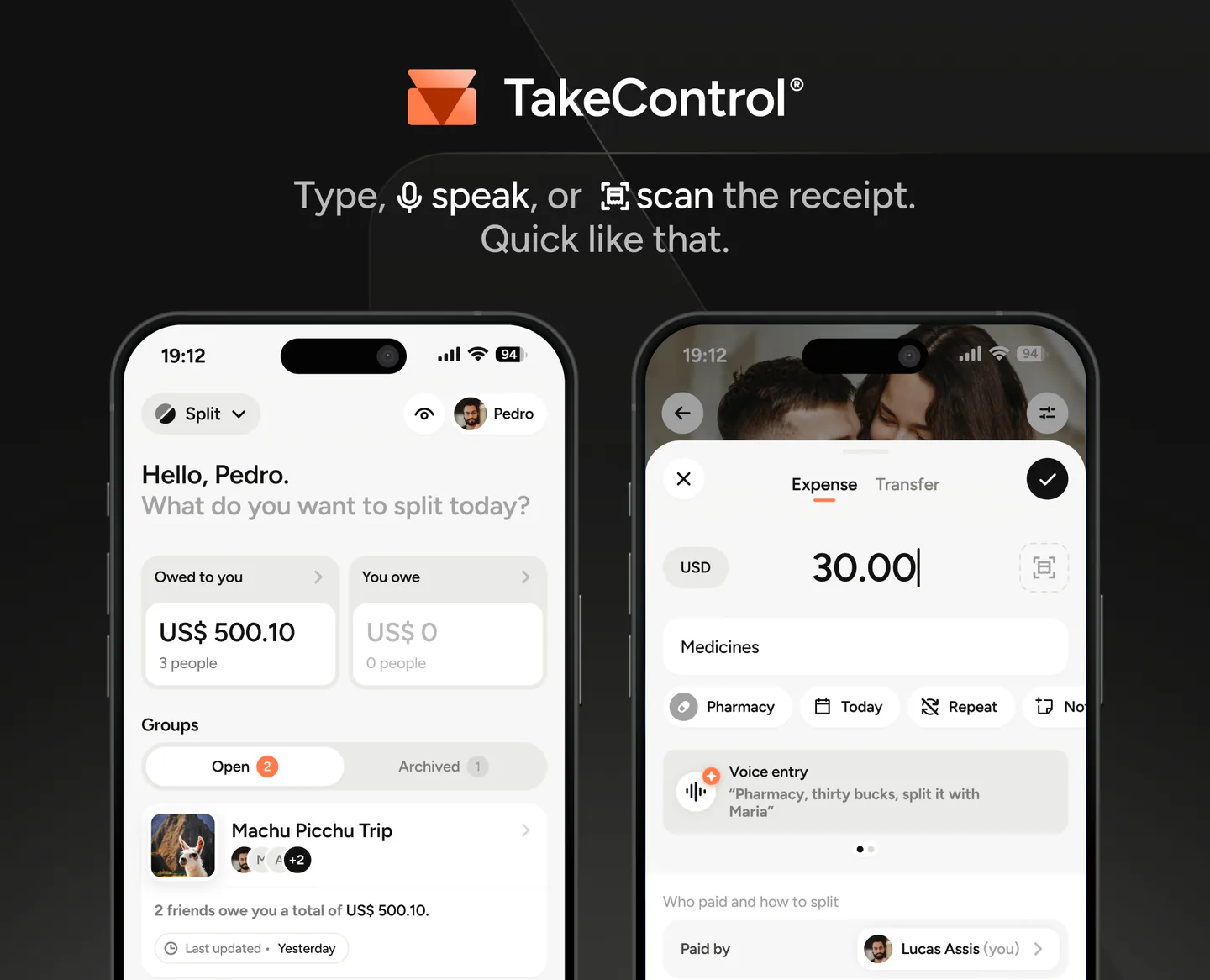
You can add an expense by typing, speaking, or scanning a receipt. Splits can be equal, percentage-based, or exact, with multiple payers and a reusable default rule for the group. TakeControl also includes recurring and installment expenses, daily, monthly, or total group budgets, insights, CSV export, an edit history, and offline use.
That mix is useful in two very different settings. On a trip, voice, scanning, currencies, and offline entry reduce the “I’ll add it later” problem. For a couple or shared home, budgets, recurring entries, and default percentages keep rent, groceries, and subscriptions from becoming repeated setup work.
The tradeoff is equally clear: TakeControl does not offer a web app. Its free tier allows up to eight expenses per day and six groups, with a limited number of free voice and receipt-scanning uses. PRO removes those usage limits and adds currency conversion, among other tools. Check the current Free and PRO comparison rather than relying on an old price or limit.
Choose TakeControl if: your group is ongoing or travels often, and you value automation, budgeting, and a fuller mobile workflow.
2. Tricount: the best unlimited free option
Tricount has the clearest proposition for anyone who wants to keep adding expenses without subscribing. Its current official listings describe the product as free and unlimited, with no cap on tricounts or expense entries.
The essentials are solid: shared groups, equal and unequal splits, balances, expenses in different currencies, conversion, photo attachments, a calculator, and offline entry. That makes Tricount particularly appealing for a busy group trip with many small charges.
Tricount also supports importing from Splitwise. The current version, however, retired the former direct CSV and PDF export tools, and it does not bring the same combination of group budgets, recurring and installment expenses, voice entry, and OCR found in TakeControl.
Choose Tricount if: unlimited free mobile expense entry is your top priority. Our TakeControl vs. Tricount comparison goes deeper on the day-to-day differences.
3. Splitwise: the best fit for web access and familiarity
Splitwise remains the name many groups already recognize. Its strongest advantage here is a full web version alongside its iOS and Android apps. That matters if you prefer cleaning up a trip ledger on a laptop or already belong to several long-running Splitwise groups.
The platform supports equal and unequal splits, percentages, shares, recurring expenses, debt simplification, categories, multiple currencies, and offline use. Its established workflow also lowers the adoption hurdle when friends already know it.
The free tier is the sticking point. Splitwise’s official documentation currently sets the limit at four added expenses per day. Currency conversion, receipt scanning and itemization, charts, search, and default splits are Pro features. On a high-spend travel day, the free cap can appear before dinner.
Choose Splitwise if: browser access, familiarity, and existing history matter more than the free-tier limits. See TakeControl vs. Splitwise for a feature-by-feature comparison.
4. Settle Up: the best option for complex splits
Settle Up is the most flexible choice when a bill does not follow the usual “one person paid, everyone owes the same share” pattern. It supports multiple payers, default weights for members, income entries, and more involved combinations. Its settlement engine minimizes transfers, and the group can turn that behavior off if it wants to preserve direct debts.
Availability is another advantage. Settle Up runs on Android, iOS, and the web, while a shared link lets people view a group balance in a browser without installing the app. It works offline, supports currencies and exchange rates, and provides CSV export.
The free experience includes ads. Receipt photos, recurring transactions, custom categories, statistics, and other features are tied to Premium. A one-time Group Premium option can still be attractive for one specific trip instead of a personal subscription.
Choose Settle Up if: your group needs multiple payers, weighted shares, or browser access for members who will not install another app.
5. Splid: the best way to start without an account
Splid removes the most common setup objection. You can create an offline group in seconds or turn on sync for collaboration, without signing up with a name or email address. That is a meaningful advantage for a short trip with people who do not want another account.
It supports more than 150 currencies, conversion, multiple payers, unequal splits, simplified settlements, and PDF summaries. Excel export is available as an in-app purchase.
Its simplicity also defines the boundary. Splid does not offer the same budget, recurring expense, receipt, voice, categorization, and change-history toolkit as apps designed for continuous use. It is excellent at settling “who owes what,” but less suited to planning and reviewing a household’s spending over months.
Choose Splid if: account-free setup, offline use, and a clean trip ledger matter most. Read TakeControl vs. Splid for the detailed comparison.
A five-minute test before moving your group
Do not migrate months of history based on a comparison table alone. Create the same test group in your two finalists and enter five realistic cases:
- an evenly split expense;
- a bill that excludes one member;
- an expense with two payers;
- a charge in another currency;
- a partial settlement.
Then ask another member to explain the balance without your help. If everyone understands who pays whom, can add the next expense without hesitation, and can correct a mistake, the app has passed the test that matters.
Check pricing in your own country and app store as well. Subscriptions, one-time purchases, ads, and included features can vary by region and platform. The right app is the one that removes the most repeated work from your group, not the one that wins the most cells in a generic table.
Final verdict
For ongoing use, TakeControl currently offers the strongest mix of entry, splitting, budgeting, and follow-through. For free unlimited entry, Tricount is hard to beat. Splitwise wins when a web app and existing history are essential. Settle Up is the specialist for complex splits, while Splid is the fastest route to an account-free group.
If voice entry, receipt scanning, budgets, and reusable split rules match your group’s pain points, download TakeControl and test it with real expenses. If another profile above describes your group better, choose that app instead. An honest comparison is useful only when it helps you make the right decision, even when the answer differs from one group to another.
Sources and verification
- TakeControl — plans and features — TakeControl (Accessed on )
- Splitwise — Splitwise (Accessed on )
- Tricount — Tricount (Accessed on )
- Splid — Splid (Accessed on )
- Settle Up — Settle Up (Accessed on )

I created TakeControl to make splitting expenses between couples and on trips simpler. Here, I share tips, app updates, lessons learned, and content to make managing shared expenses easier.
Frequently asked questions
It depends on the group. TakeControl combines voice entry, receipt scanning, budgets, and recurring expenses; Tricount is strong for unlimited free use; Splitwise offers a mature web app; Settle Up handles complex splits; and Splid works without sign-up.
As of September 2026, Tricount officially describes its service as free and unlimited, with no limit on groups or expenses. Plans can change, so check the current store listing before committing.
All five support some offline use. TakeControl, Tricount, Settle Up, and Splid describe syncing after the connection returns; Splid can also keep a group offline only.
Splitwise and Settle Up offer web access. TakeControl, Tricount, and Splid are centered on their mobile apps.
In some cases. Splid shares groups without requiring an account, Settle Up can expose a browser view through a link, and TakeControl lets you include participants who do not yet use the app.
Their main job is calculating and recording balances. Some payment requests or integrations only work in selected countries. TakeControl does not move money; users pay through their preferred service and record the settlement.
