















TakeControl vs. Settle Up: which expense-splitting app is better?
Compare TakeControl and Settle Up across splits, web access, currencies, offline use, receipts, budgets, recurring costs, and free plans.
TakeControl or Settle Up? Choose Settle Up when weighted shares, web access, and a browser view for guests matter most. Choose TakeControl when you want a more modern, friendlier experience, less manual entry, and budgets, recurring costs, installments, and insights in one place.
Both apps record who paid, calculate balances, and suggest fewer transfers at settlement. Both work offline and can serve couples, friends, travelers, and roommates. The important differences are how people join, how unusual expenses are represented, and what the app helps you do beyond a basic balance.
Disclosure: this comparison is published by TakeControl. We reviewed the official Settle Up website and its Google Play listing on September 30, 2026. The goal is to recognize each product’s real strengths, not declare our app the winner for every group.
TakeControl vs. Settle Up at a glance
| Criterion | TakeControl | Settle Up |
|---|---|---|
| Platforms | iOS and Android | iOS, Android, Windows, and web |
| Free version | 8 expense entries per day and 6 groups | Free with ads; Premium features sold separately |
| Offline entry | Yes | Yes |
| Multiple payers | Yes | Yes |
| Custom splits | Equal, percentage, or exact amounts, plus a saved default | Equal, percentage, exact amounts, or weighted shares |
| View without installing | Non-users can be included in the balance | View-only browser link |
| Currencies | 75; conversion and custom rates with PRO | All currencies with real-time rates |
| Voice entry | Yes, with AI | Not identified |
| Attach receipts | Yes; up to 10 free | Premium |
| Automatic receipt reading | Yes, with OCR | No |
| Group budget | Daily, monthly, or total | No |
| Recurring expenses | Yes | Premium |
| Installment expenses | Yes | No; offers future transactions |
| Categories | Automatic categories and custom subcategories | Custom categories in Premium |
| Group insights and charts | Free | Premium |
| Export | CSV | CSV; Excel in Premium |
| Interface and experience | Modern, friendly, and direct | Denser, more complex, and visually traditional |
Based on hands-on app testing and official product information available on September 30, 2026. Features, limits, and in-app purchases may change or vary by platform, country, and currency.
Where Settle Up is better
Weighted-share splits
Both apps support multiple payers on the same expense. Settle Up’s specific difference is the option to split by shares or weights, in addition to recording money coming into the group as income. Those weights can also become the group default.
Imagine an expense divided into three shares: one person takes two and another takes one. Settle Up represents that proportion directly. In TakeControl, the same result is configured by percentage or by each person’s exact amount; it also offers equal splits and a saved group default. Multiple payers are therefore not a differentiator between the apps—the share system is.
Web, Windows, and a link for guests
Settle Up is available on mobile, Windows, and the web. An organizer can also share a link so somebody can view the group balance in a browser without downloading the app. Read-only access is useful when only one or two people should manage the ledger.
TakeControl can include a participant who has no account, so that person’s share still appears in the math. Direct viewing and editing, however, happen in the iOS or Android app. If your group expects to work from a laptop—or if some relatives only want a link—the Settle Up advantage is decisive.
Currency coverage and group Premium options
Settle Up’s official listings advertise all currencies with real-time exchange rates. Its stores also offer individual Premium and group-specific Premium for several durations. A group that only needs paid features for a particular trip may prefer that structure.
TakeControl supports 75 currencies. Its strength is control rather than count: PRO can convert balances automatically or use a custom exchange rate for the group. That is useful when a Canadian credit card posts a euro purchase at a different effective rate than the market reference.
Where TakeControl is better
A more modern and friendly interface
The difference appears before you explore every feature. TakeControl uses a cleaner, more current, guided interface, organizing the main flows so a person can create a group, add an expense, and understand the balance without facing too many controls at once.
Settle Up places more controls and information on screen and follows a more traditional visual style. That density can create shortcuts for experienced users, but it also raises the learning curve for a new group. TakeControl has the clearer advantage in ease of use and mobile experience.
Voice and OCR remove repetitive entry
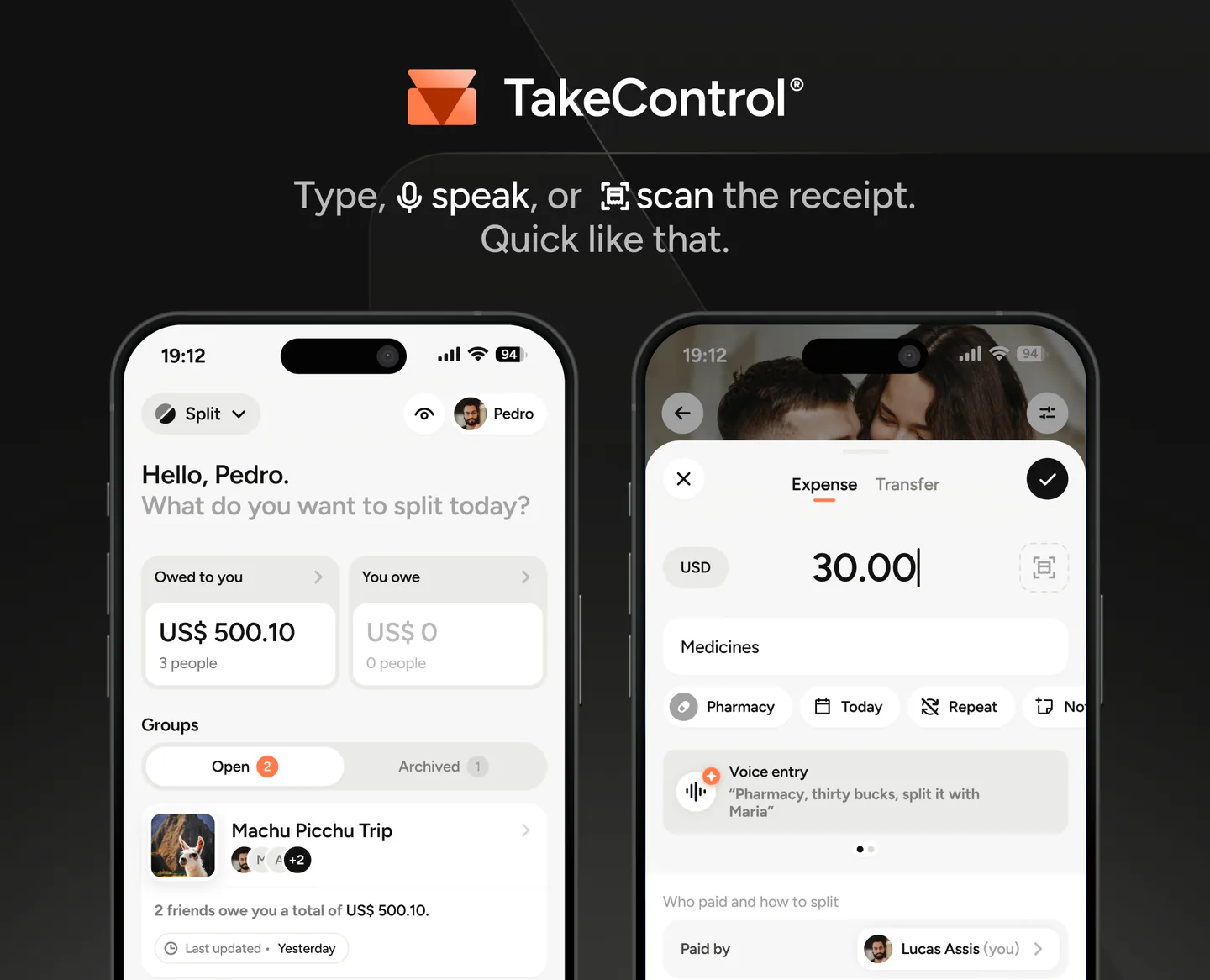
In TakeControl, you can say, “Groceries, $126.40, split between Maya, Liam, and me,” then review the form prepared by AI. You can also photograph a receipt and have OCR extract the merchant, amount, and date before confirmation.
Settle Up Premium can store receipt photos, but its official pages do not advertise automatic scan-and-fill. Keeping proof of purchase and turning that proof into a draft expense are different jobs. The latter saves more time when a trip or household generates many small transactions.
Budgets, installments, and an ongoing routine
TakeControl can set a daily, monthly, or whole-period budget for each group. Installment purchases appear in the corresponding months, and recurring transactions are available without requiring PRO.
Settle Up can schedule future transactions, but that is not the same as an installment purchase: it does not automatically distribute one purchase across several monthly installments.
These features matter more in a household than on a three-day trip. Rent and internet repeat; a sofa may be paid over several months; and the group wants to know whether spending is near the limit before the statement closes. Our guide to managing recurring household expenses shows how to turn those features into a light monthly routine.
Receipts, categories, and insights in the free plan
TakeControl includes automatic categorization, custom subcategories, group insights and charts, and CSV export in the free plan. It also allows up to ten attached receipts and four free OCR scans.
Settle Up lists custom categories, receipt photos, recurring and future transactions, Excel exports, statistics, and details such as who spent the most as Premium benefits. On the other hand, its public pages do not advertise a daily entry cap like TakeControl’s. The better free offer depends on which constraint your group reaches first: entry volume or free access to organization, receipts, and insights.
Where both apps do the job well
Both work offline, sync shared groups, support multiple payers, export CSV, and simplify debts to reduce the number of transfers. Both can also represent people who do not actively use the app.
Neither product is primarily a money-transfer service. Each one calculates and records the settlement; your group sends the payment through its bank, wallet, or preferred method. Before choosing, use the checklist in what to look for in an expense-splitting app and enter the same five real expenses in both apps.
Three scenarios that make the choice clearer
An international trip with complicated shares
The group uses several currencies, includes two families, assigns different adult and child weights, and has people who only want a browser link. Settle Up is likely the better choice. Its web access, weights, guest view, and broad currency support match the problem directly.
A couple or shared home that uses the group all year
The group has rent, subscriptions, groceries, installments, and a monthly limit. Everyone records expenses mainly on a phone. TakeControl is likely the better fit. Budgets, recurring expenses, installment tracking, saved splits, voice, and OCR reduce work that would otherwise return every week.
A group that only wants to enter and settle
Both are good options, including when one expense has two payers. Let the interface and the free model break the tie. If ease of use and free access to insights matter more, TakeControl is likely to stand out. For more alternatives, see our ranking of the best expense-splitting apps.
Which one is worth it?
Choose Settle Up if you:
- need web, Windows, or a view-only link;
- need to split expenses by shares or weights;
- want the broadest currency coverage;
- prefer to unlock Premium for one group;
- are comfortable with ads or paying for the extra features.
Choose TakeControl if you:
- want voice entry or scan-and-fill receipt OCR;
- need budgets, installment tracking, and recurring expenses;
- value a modern interface, categories, receipts, and insights in the free plan;
- use a phone as the group’s main tool;
- want a custom exchange rate with PRO.
There is no universal winner. Settle Up gives a group more ways to access its ledger and adds weighted-share splits; TakeControl offers a friendlier experience and more free tools for capturing, analyzing, and managing an ongoing routine. That distinction should drive the decision.
Test TakeControl with real expenses
TakeControl’s free plan is enough to test the workflow before subscribing. Compare the current plans and download TakeControl to enter your group’s real examples and make the decision from experience.
Download TakeControl for free and see whether it fits your group.
 Download for iPhone
 Download for Android

I created TakeControl to make splitting expenses between couples and on trips simpler. Here, I share tips, app updates, lessons learned, and content to make managing shared expenses easier.
Frequently asked questions
It depends on the group. Settle Up has the edge for web access, view-only links, broad currency coverage, and weighted-share splits. TakeControl stands out for its friendlier modern interface, voice entry, automatic receipt reading, budgets, installment expenses, and free insights.
Both can be used for free. TakeControl limits its free plan to 8 expense entries per day and 6 groups, but includes group insights and up to 10 attached receipts. Settle Up includes ads in the free version and places receipt photos, recurring transactions, custom categories, Excel exports, and statistics in Premium. Store offers vary by country and platform.
Yes. Settle Up and TakeControl both let you add expenses without a connection and sync later. Changes made by other group members will only appear after the device reconnects.
Both apps support multiple payers. The difference is that Settle Up also supports weighted shares. TakeControl splits equally, by percentage, or by exact amount and can save a default split for the group.
No. Both apps let organizers include people who do not use the app. Settle Up also provides a browser link for viewing the group. In TakeControl, a non-user can be part of the calculations, but needs the mobile app to follow and edit the group directly.
Settle Up stores receipt photos in Premium. TakeControl includes up to 10 attached receipts for free and also uses OCR to read the merchant, amount, and date; its free plan offers four automatic-reading trials.
